To install and configure COD payment module:
 To install and configure COD payment module:
|
1 |
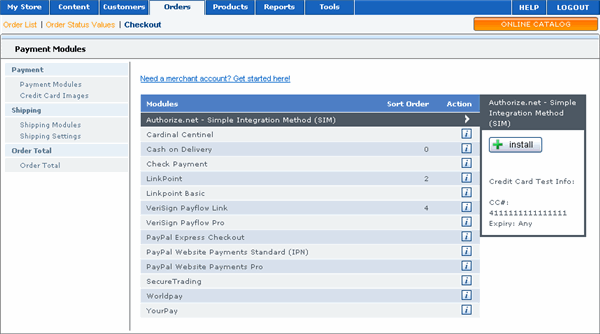
On the menu, select Orders and then Checkout. A list of the available payment modules displays.
|
|
2 |
Click Cash on Delivery and then click Install in the right pane. |
|
3 |
Next click Edit. |
|
4 |
Verify that True is selected under Enable Cash on Delivery Module section. |
|
5 |
Select a payment zone, if any. |
|
6 |
Set Order Status using the drop-down menu. |
|
7 |
Enter sort order for the COD option. |
|
8 |
Click Update to save your settings. |